
Instructions
Your guide to completing modules in the Practical Guide to Mixed Feeding Masterclass
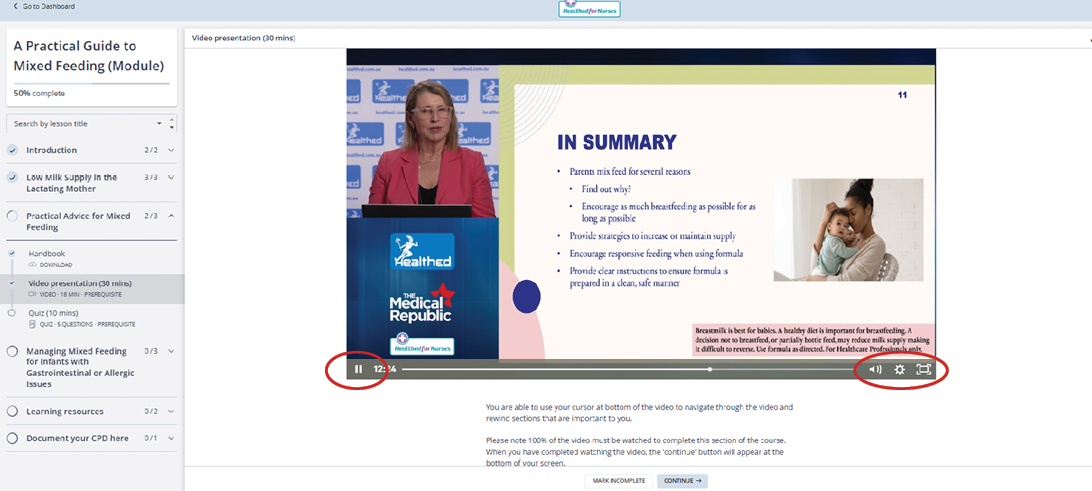
This platform allows you to stop and resume the course as you like and tracks your progress, even when you log out. You will be able to access this course and resources at anytime from your Healthed for Nurses dashboard, even if you have completed this course.
The lessons in this course are designed to maximise and reinforce your learning. All sections of the course are optional and you do not need to complete them in the structured order. However if you wish to be issued with a certificate, you must complete all sections.
You are also able to access all courses on this platform in your dashboard, which can be accessed on the top left of your screen.
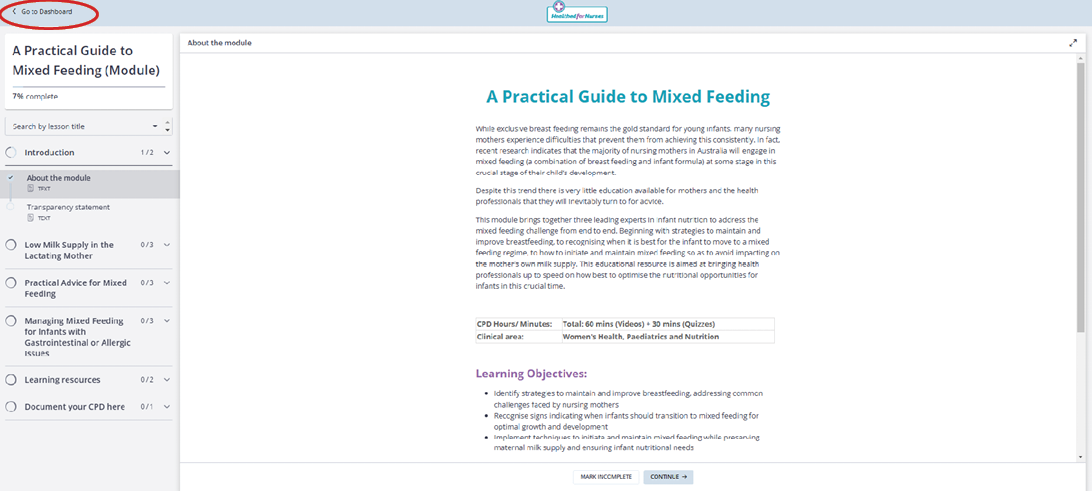
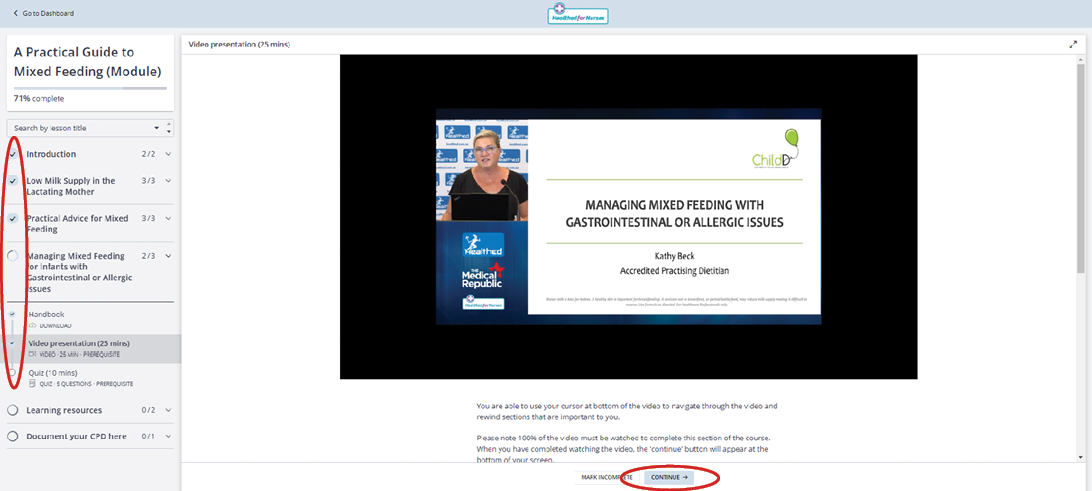
After you have completed a lesson in each section of the course, make sure you click the “continue” button at the bottom of the page. It is important that you click this button after each lesson as it will register your progress through the course. You can track your progress using the progress tracker on the course menu on the left of your screen.
Once you have completed a lesson (and click the continue button), a tick will appear in the circle next to the relevant lesson in the progress tracker (see below).
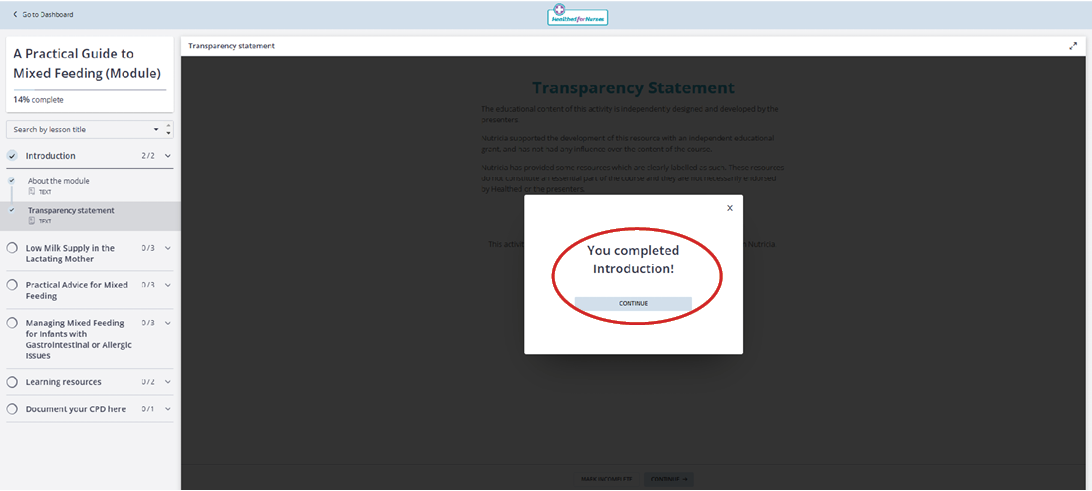
You will also receive a notification within the main screen, every time you complete a section (see below). If you do not see this message, it means that you have not completed that section in full.
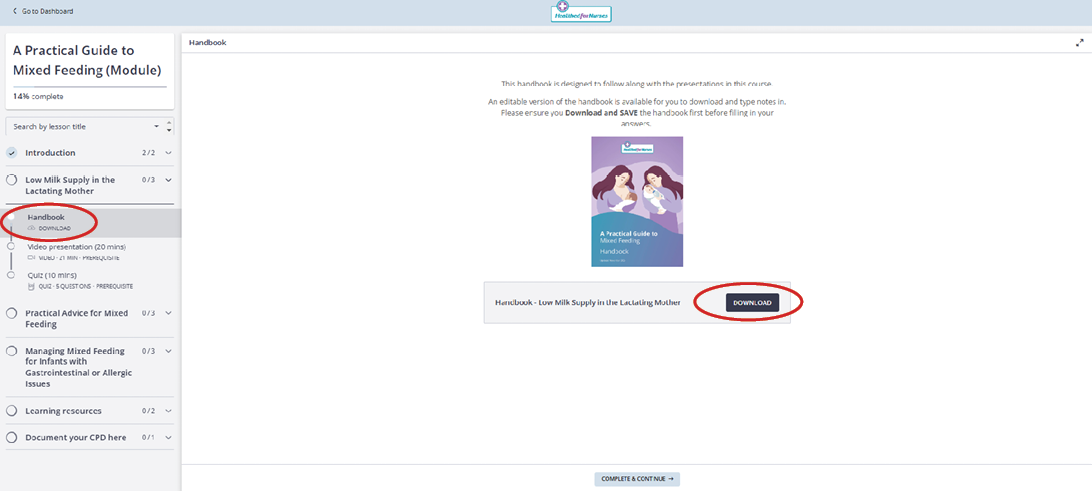
An editable version of the handbook is available for you to download and type notes in. Please ensure you Download and SAVE the handbook before adding your notes.
To maximise your learning, there will be a quizzes following the videos. The quizzes will indicate which questions were correct or incorrect, and will provide you with an overall score when completed. You are able to take the quiz as many times as you'd like.
The quiz is optional, but if you would like a certificate of completion, the quiz must be completed - a passing grade of 80% is required.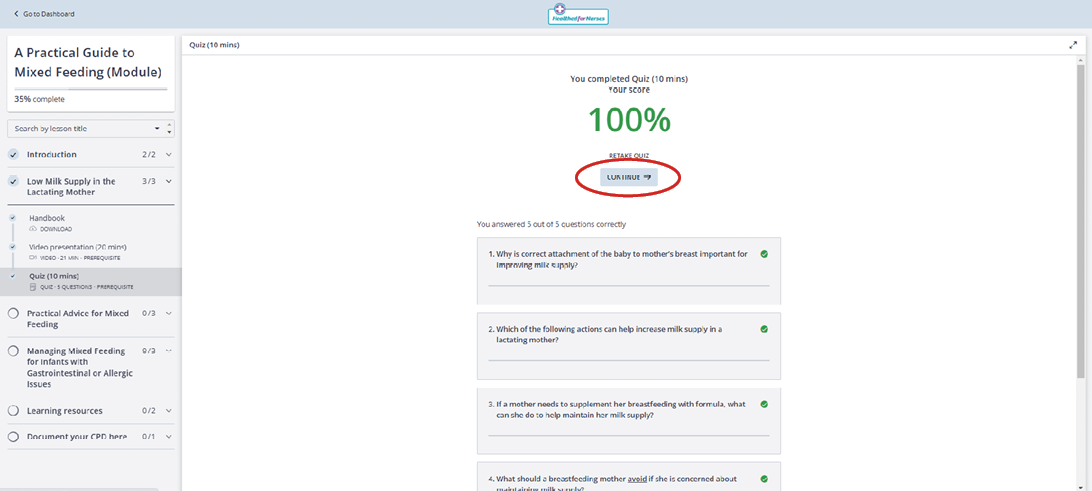
There are some additional and industry resources available in these sections that may support your learning needs.
Please go to 'Document your CPD here' section on the bottom of the left menu to self-claim and document your learning for this course.
Our custom CPD documentation and reflection tool is designed to help you generate a summary of your learning activity in line with the Australian Nursing and Midwifery Board's CPD documentation guidelines. This tool will help you to reflect on what you have learnt from each presentation as well as give you the opportunity to attribute this activity to the relevant Professional Standards of Practice.
Simply click through and answer the questions displayed. At the end, enter your preferred email address and click submit to receive a PDF summary of all your answers. You can save this PDF to your desktop, or print a hard copy for record keeping.
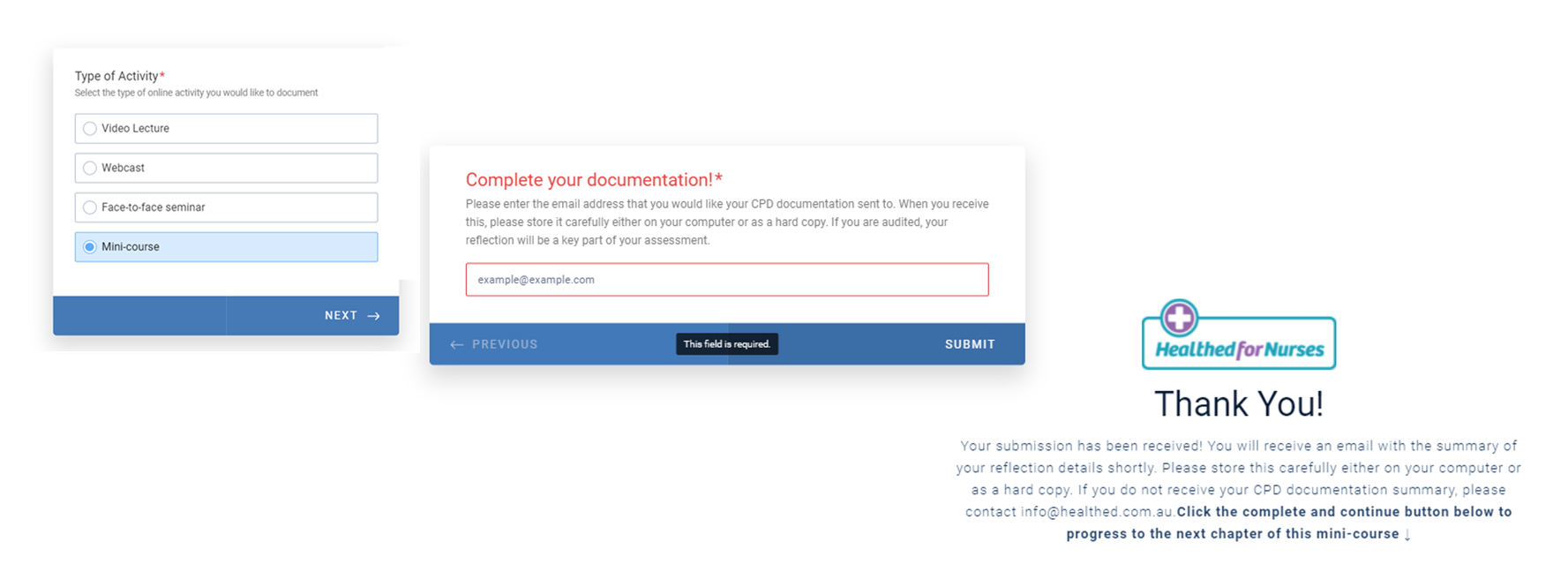
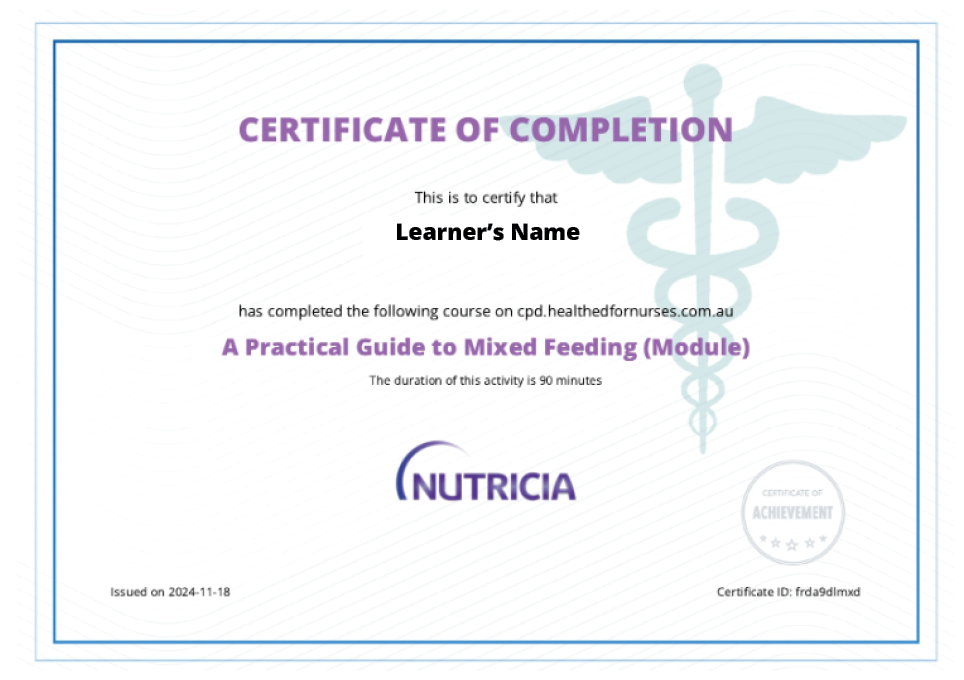
All learners will receive a certificate that they can access from their dashboard when the module is completed.
In order to achieve a certificate of completion you are required to meet the following requirements:
Once you have met the above requirements, your certificate of completion will be generated automatically and will be ready to download on the top left of the course menu.
Just press the 'GET YOUR CERTIFICATE' button which will appear when you have completed all the necessary course sections.
We are always looking to understand your educational needs and to improve the educational resources we provide you. We appreciate any feedback on the module, platform or in general - good or bad - we take this on board!
If you have any feedback, please email the team at [email protected].